

Remote server:
- Show the docker config file: systemctl show –property=FragmentPath docker
- Edit it : nano /usr/lib/systemd/system/docker.service
- Find the ExecStart line, and add a port to it.
ExecStart=/usr/bin/dockerd -H tcp://0.0.0.0:2375 -H fd:// --containerd=/run/containerd/containerd.sock
Do not forget the “-H” behind tcp://0.0.0.0:2375.
4. Reload config file: systemctl daemon-reload
5. Restart docker: systemctl restart docker
6. If you installed a firewall in your device, you need extra steps to allow this port.
firewall-cmd --zone=public --add-port=6379/tcp --permanent
firewall-cmd --reload
Then we can add a new environment to your potainer server.
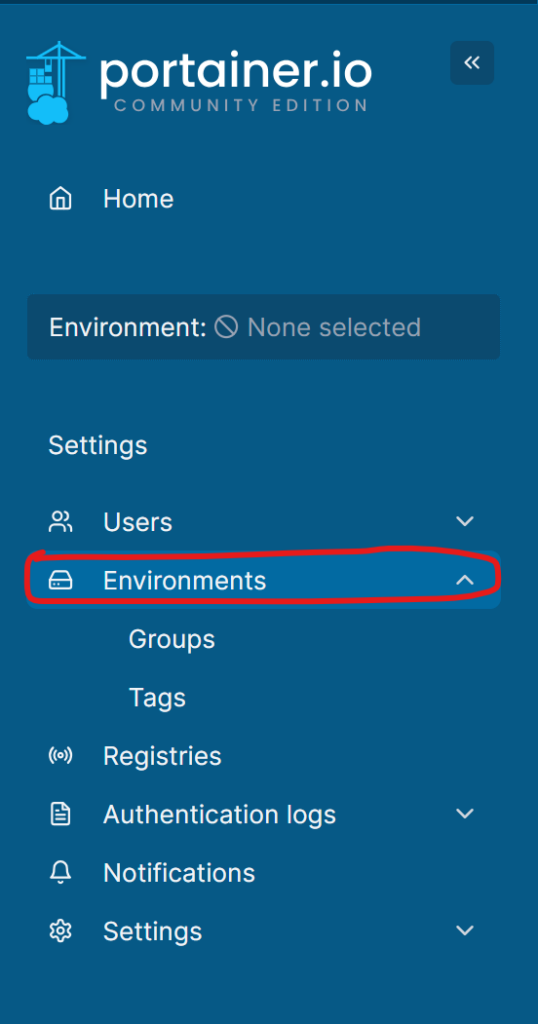
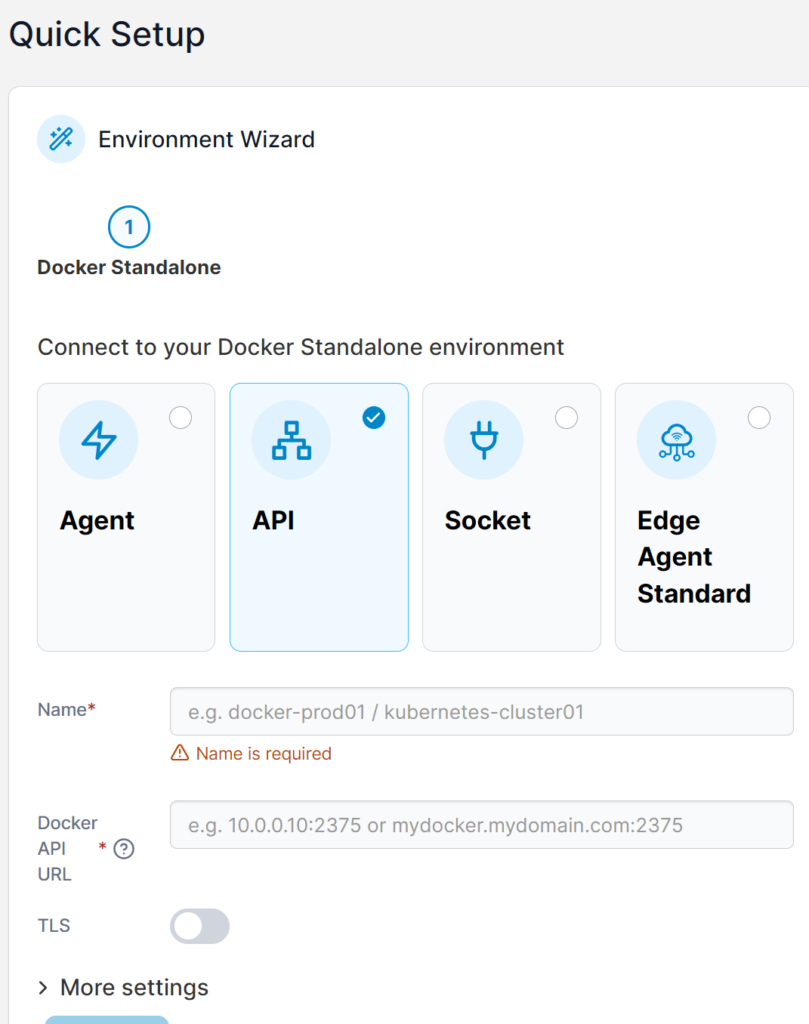
Full fill it and everything is done.
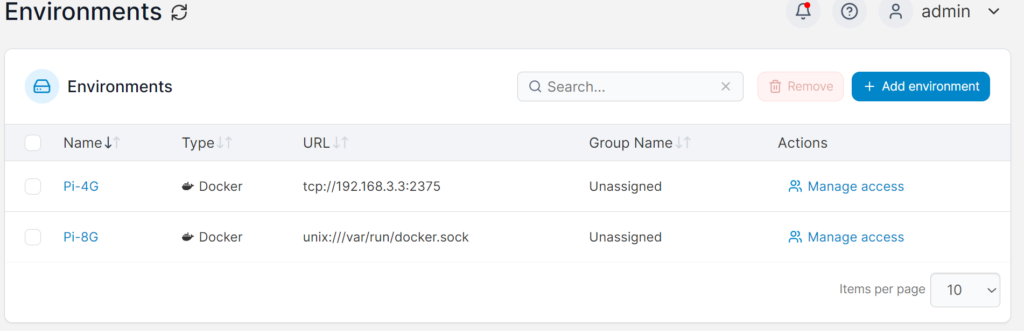
I suggest you use these commands rather than the official command to run Potainer:
docker volume create portainer_data
docker run -d -p 9000:9000 -p 9443:9443 --name portainer --restart=always -v /var/run/docker.sock:/var/run/docker.sock -v portainer_data:/data portainer/portainer-ce:latest
9000 is the HTTP port, 9443 is the HTTPS port.
Remember we use a standalone and CE version.
Views: 140